
Quick Answer: Why Does Lovable Keep Breaking My App?
Lovable generates code from prompts and rewrites files as it goes, so every change can disturb something that worked before. Vague instructions, thin error handling and weak database rules then pile up into recurring Lovable app bugs. The fix is a disciplined workflow: small prompts, version checkpoints, log-based debugging and human review for sensitive code.
TL;DR
-
Most lovable app bugs appear because the AI rewrites working code without seeing the whole project.
-
The usual lovable app bugs are broken logins, failed API calls, blank screens, missing database rules and overwritten edits.
-
Stop the “Try to fix” loop after two failed attempts, roll back, and debug from the console and logs.
-
Export to GitHub, test small changes, and review anything involving payments or personal data.
-
Call in a developer when the same bug keeps returning, when real user data is at risk, or when launch is close.
Why Does Lovable Keep Breaking My App?
If you have typed why does Lovable keep breaking my app? into a search bar at midnight, you are in good company. The first build looks brilliant in the preview. Then you add one more feature, tweak a button or click publish, and things start to fall apart.
Buttons stop responding, data fails to save, and credits drain while the AI loops on the same error. Fora Soft’s 2026 write-up on lovable app bugs describes this exact sequence, and the r/lovable subreddit reads much the same.
Five root causes sit behind most Lovable app bugs.
1. The AI rewrites more than you asked for
Every prompt can touch many files at once. These Lovable code changes are fast, but they are not always surgical. RapidDev’s library of fixes documents recurring cases where manual edits get overwritten, components disappear, and styles break after regeneration.
Picture a typical scenario. You ask Lovable to recolour a pricing button. It regenerates the component and quietly drops the click handler, so the page looks perfect and the button does nothing.
You might also wonder: is it Lovable or my prompt? Usually both. Loose prompts invite guesswork, and guesswork is where AI coding mistakes begin. Lovable’s own prompting guidance makes the same point: plan before you prompt, then build one component at a time.
2. Prompts stand in for specifications
Lovable relies on what Fora Soft calls “vibe coding”: loose descriptions with no strict spec. Without acceptance criteria, the model fills gaps with assumptions, and multi-step workflows can leave components mismatched.
3. Generated code skips error handling
Many Lovable AI errors trace back to missing safety nets. Generated screens handle the happy path well but cope poorly with a dropped connection, an empty response or a slow query. Performance trouble often appears only once more users arrive.
4. Backend and database rules are thin
Lovable typically builds on React and Supabase. When a table, a policy or a column does not match what the front end expects, data stops saving or leaks out. We return to this in the security section, because it is the costliest of all Lovable app bugs.
5. The preview is not production
Something that works in the preview can fail once published. Missing environment variables, hosting settings and routing rules are common reasons. That gap between a working demo and a reliable service is the same one behind why moving from AI pilot to production is harder than it looks.
The Most Common Lovable App Bugs and Their Fixes

Most lovable app bugs fall into a handful of families. The table below maps each symptom to its likely cause and the first thing to try.
| Symptom | Likely cause | First fix |
|---|---|---|
| Blank white screen after a build | Runtime error, bad import or TypeScript failure | Open the browser console, read the exact error, revert if needed |
| Failed API calls or CORS errors | Server not allowing the origin, wrong keys or endpoints | Check the network tab, then fix the server or function settings |
| Logged out on refresh | Session or token handling | Review auth state and redirect logic |
| 404 on page refresh | Single-page app routes lack a fallback | Add a hosting rewrite so all routes serve the app |
| Data not saving | Schema mismatch or database rules blocking writes | Compare table columns with code, then check policies |
| Broken mobile layout | Missing breakpoints, overlapping elements | Re-describe the layout with clear breakpoints |
| Page freezes or loops | Bad effect dependencies or state updates | Inspect useEffect dependencies |
| Edits keep vanishing | AI regenerating files you changed by hand | Commit to GitHub and make changes in small steps |
Blank screens and failed builds
Of all lovable app bugs, the blank screen is the least mysterious. It is almost always a JavaScript error hiding in the console. Open the developer tools, copy the first red error and read it properly before prompting. RapidDev notes that logs live in the browser console, the Cloud tab and the preview panel. Lovable’s troubleshooting guide gives the same order of play: check the console, revert to an earlier version, then ask Lovable to investigate the blank screen.
If the build fails on a TypeScript or lint error, ask Lovable to fix that specific file and nothing else. Broad prompts such as “fix the build” invite more Lovable code changes than you need.
Broken authentication and lost sessions
Logins that work once and fail after a refresh point to token or session handling. Redirect problems after sign-in are another classic. Test the full journey: sign up, log out, log in, refresh and return a day later.
Treat auth as high-risk code. Auth-related lovable app bugs are more than an inconvenience, because they can expose accounts. A password on its own is thin protection for anything sensitive, and the NCSC sets out why multi-factor authentication matters in plain terms.
Failed API calls and CORS errors
CORS errors are among the most confusing lovable app bugs: the browser reports them, but the fix lives on the server. Check the network tab to see which request failed and what came back. Keep third-party secret keys out of client code, store them as secrets in the backend, and route calls through a backend function.
Routing problems and 404s on refresh
A single-page app only has one real HTML file. If your host does not rewrite unknown paths back to it, refreshing /pricing returns a 404. Among lovable app bugs, this one is cheap to fix: add a fallback rule at the hosting layer rather than sending another prompt.
Data that will not save
Compare the shape of your Supabase table with what the form sends. Lovable’s database view lets you browse tables and review security policies, so check those next. Overly strict rules block legitimate writes, while missing rules expose everything. Both surface as Lovable app bugs that look like “the app is broken” from the outside.
You might also wonder: do these lovable app bugs mean Lovable is bad? Not necessarily. They are typical AI coding mistakes for any prompt-driven builder. What matters is how quickly you catch them.
Security Gaps and Hidden App Stability Issues
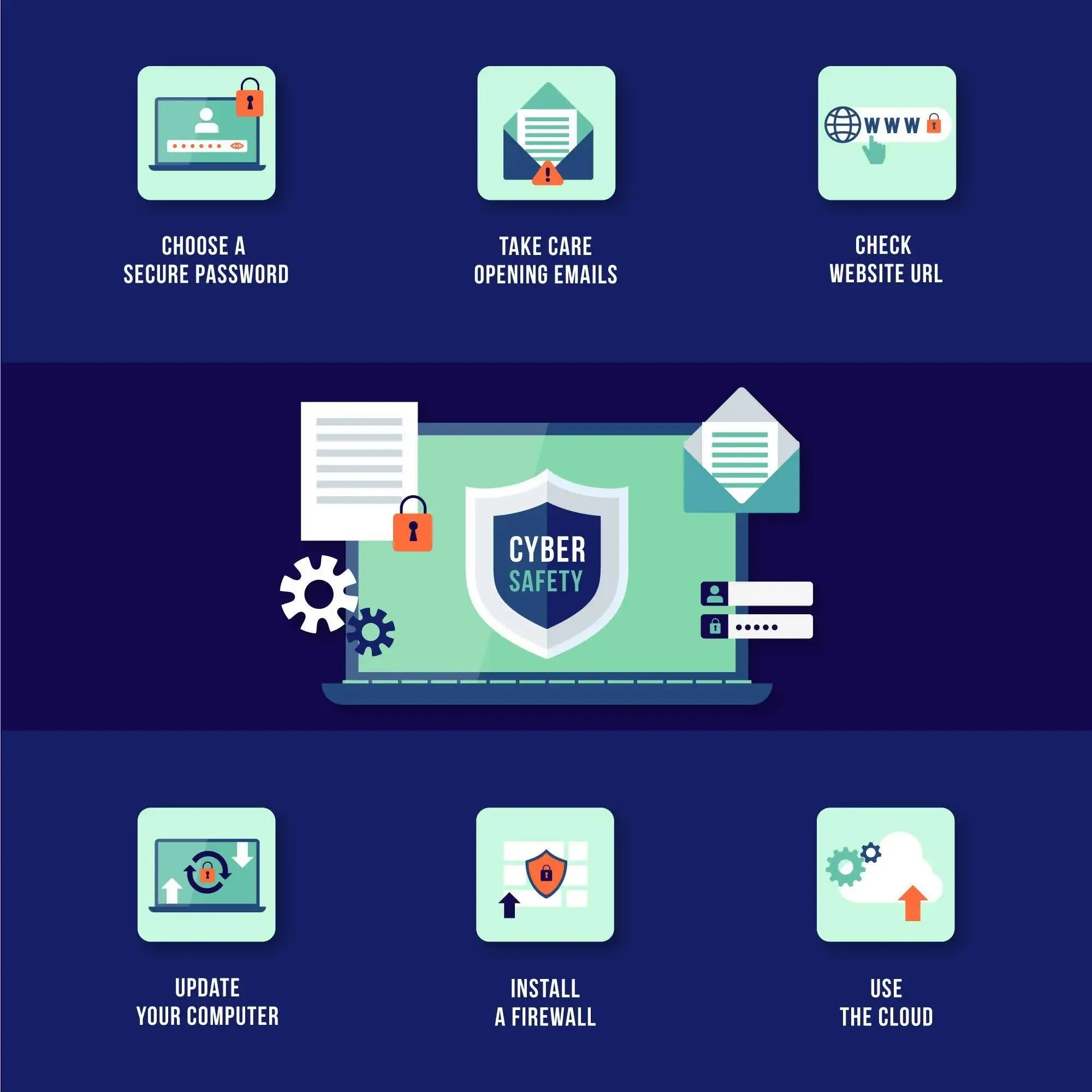
Visible lovable app bugs annoy users. Invisible ones hurt them. Here, app stability issues and security overlap.
The row-level security lesson
In 2025, researcher Matt Palmer identified missing or weak row-level security (RLS) in Lovable-generated projects, tracked as CVE-2025-48757. According to Superblocks’ analysis, his scan found 303 endpoints across 170 projects without proper RLS. Anyone holding the public key could query tables directly.
The exposed data included emails, phone numbers, payment status and API keys. Lovable later added a security scanner, but Superblocks notes that it checked whether an RLS policy existed, not whether it actually worked.
The lesson is practical: a green tick in a scanner is not proof. Test your own rules with different roles, including a logged-out visitor. Lovable’s security best practices page covers RLS, authentication and edge functions, and works well as a checklist for those tests.
Fora Soft’s review adds that over 10% of sampled Lovable apps had live vulnerabilities, often from avoidable prompt or architecture choices.
What the UK’s cyber agency says
The National Cyber Security Centre has been direct about this trade-off. Its vibe coding spectrum guidance says full vibe coding can be fine for prototypes and low-risk internal tools, but that authentication logic and anything handling sensitive data deserves far more scrutiny.
A separate NCSC post, Vibe check: AI may replace SaaS (but not for a while), says AI-written code can be unreliable or hard to maintain for non-experts, and names “slopsquatting”, where AI suggests packages that do not exist, as a new attack type.
That is a useful mental model for debugging AI-generated applications: the riskier the code, the more human eyes it needs.
Another common question is: what happens if user data leaks? For UK businesses, a personal data breach can trigger a reporting duty. The ICO’s 72-hour breach guide for small organisations explains that the clock starts when you discover the breach, not when it happened. The wider picture sits in cyber threats facing small businesses, and the NCSC-backed Cyber Essentials scheme gives a baseline of controls worth adopting.
A quick security checklist
-
Confirm every table holding user data has tested row-level rules.
-
Log in as a normal user and try to reach another user’s records.
-
Review payment and webhook code by hand.
-
Run a risk review before launch, using a method such as the AI risk assessment framework approach.
A Step-by-Step Workflow for Lovable Debugging Issues
Random re-prompting is the costliest way to fix things. This eight-step routine tackles most Lovable app bugs and keeps Lovable debugging issues from eating your credits.
-
Rule out an outage. If the editor will not load or every project fails at once, check Lovable’s status page before touching code. RapidDev suggests this as the first check.
-
Capture the exact error. Copy the message from the browser console, the network tab or the Cloud logs, since most Lovable AI errors show up there. A vague “it’s broken” helps nobody, including the AI.
-
Roll back. If the last change caused the problem, revert to the last working version in Lovable’s version history rather than patching on top of a broken state. Reverting restores code only, so any database changes made since stay in place.
-
Write one small, specific prompt. State the expected behaviour, the actual behaviour, the file involved and what must not change.
-
Ask for a diagnosis first. Request an explanation of the likely cause before any edit. Lovable’s Plan mode is built for this: it investigates the project and writes a plan you can review before any code changes. A wrong diagnosis is cheaper to reject than a wrong rewrite.
-
Limit “Try to fix” to two attempts. RapidDev advises that if two attempts fail, you should revert and fix the root cause manually. Fora Soft also warns that the button can burn credits quickly, and because credits pay for work performed, reverted attempts still count.
-
Move to a real editor when stuck. Export to GitHub through Lovable’s GitHub sync and debug in Cursor, VS Code or Claude, then test locally before syncing back.
-
Test where users will be. Check the published site on a phone, on mobile data and in a private window. The GOV.UK Service Manual’s advice on testing across browsers and devices is a sound benchmark even for private projects.
This routine is the practical core of debugging AI-generated applications. It replaces hope with evidence.
You might also wonder: why does the same bug keep coming back? Because each new prompt can regenerate the code you just fixed. A bug that returns after several fixes is a structural signal, not bad luck.

How to Stop Lovable Code Changes From Breaking Working Features
Prevention is cheaper than repair. These habits cut lovable app bugs at the source.
Write mini-specs instead of wishes
Compare two prompts. The first says, “Add a coupon field.” The second says, “Add a coupon input on the checkout page, validate it against the coupons table, show an inline error for invalid codes, and do not change the payment button or cart totals.”
The second one gives the AI boundaries. Boundaries are what stop Lovable code changes from spilling into unrelated screens.
Keep checkpoints and a GitHub trail
Connect GitHub early so every working state becomes a commit you can return to. Fora Soft notes that exports sometimes sync badly, so check for missing files and broken imports after each push.
Protect the code that matters
RapidDev publishes guides on locking code sections from AI edits and stopping Lovable from overwriting manual changes. Lovable’s project knowledge feature also lets you store standing rules, such as which files must never change. Whatever method you use, keep authentication, payments and database migrations out of casual prompts.
Build a short regression checklist
After every meaningful change, click through the same five journeys: sign up, log in, create something, pay and log out. Lovable’s browser testing can click through flows like these, though a human pass on the published site still matters. Ten minutes of this catches most Lovable issues before users do.
Let users report problems
Real people find the lovable app bugs you miss. A simple feedback widget and a weekly triage habit pay off, and teams that get good at collecting and acting on user feedback tend to spot regressions sooner.
Watch for quiet debt
Each quick AI fix leaves residue. Duplicate components, unused code and tangled logic add up to what engineers call technical debt. It slows every later change.
Another common question is: can better prompts remove all bugs? No. Better prompts reduce AI coding mistakes, but they cannot replace testing and review.
When to Hire Developers: Timelines and Costs
Fixing lovable app bugs yourself has a ceiling. Fora Soft lists clear red flags: the same bug returns after repeated AI attempts, performance drops with a handful of users, deployments keep failing, or compliance questions appear.
Typical repair timelines from Fora Soft’s 2026 data look like this.
| Scope | Typical timeline |
|---|---|
| Simple bugs such as styling or basic logic | 2 to 4 days |
| Moderate issues such as auth, database or integrations | 4 to 8 days |
| Complex repairs such as real-time features or scale | 1 to 4 weeks |
| Full prototype-to-production stabilisation | 2 to 6 weeks |
On cost, the same source says meaningful stabilisation work usually starts around $2,500, with many projects landing between $2,500 and $6,000 after a code review. Treat these as indicative US agency figures, not UK quotes. It adds that very cheap freelance fixes often treat symptoms only.
Three questions help.
-
Is real money or personal data involved? If yes, get a human code review before launch.
-
Are you spending more on credits than a fix would cost? If yes, the loop has stopped paying for itself.
-
Does the product need to scale? If yes, plan the move from prototype to product deliberately. The route from prototype to MVP and a clear minimum viable product strategy show how to scope that step.
If the answers point towards outside help, the shape of that help matters. A structured architecture review with a working pilot slice, the approach behind RSVR’s Modernisation Blueprint, tests the foundations before more money goes in. Teams that already have a roadmap but too few hands often add a senior-led delivery squad that works in two-week sprints alongside them, with testing built into each sprint. Founders weighing a first production build can see how that plays out in RSVR’s work for startups.
Choosing between a freelancer, an agency and a permanent hire? The UK trade-offs are laid out in in-house versus outsourced development.
Ready to take your Lovable build from prototype to production? RSVR’s senior-led team can talk through where your app stands, where it is most likely to break and what a safe next step looks like. Book a free 30-minute Snapshot to get a practical recommendation, with no sales pitch and no confidential data needed.
Should You Keep Building With Lovable?
Often, yes. Fora Soft calls Lovable strong for validation and weaker for production-grade reliability. The NCSC takes a similar view: not all code is security-critical, and a prototype can tolerate more risk than a payment system.
Use this simple guide.
| Situation | Sensible approach |
|---|---|
| Demo, mockup or idea test | Build in Lovable alone |
| Internal tool with limited exposure | Lovable plus a light human review |
| Customer-facing app with logins | Lovable plus a developer-led audit |
| Payments, health or financial data | Treat Lovable output as a draft and engineer it properly |
There is a governance angle too. When staff quietly spin up internal tools with AI builders, the organisation inherits their app stability issues without knowing it. Mapping where those tools live and what data they touch is the starting point of an AI data safety review, and it is why employees already using AI need visibility. And if you are weighing a bespoke build against ready-made software, custom AI versus off-the-shelf AI is a useful companion.
Used with discipline, Lovable remains a fast way to put an idea in front of users. When one workflow proves its value, it can move into a proper build, and a six- to eight-week AI enablement sprint is one way to take a single workflow from prototype to something supported. Most Lovable app bugs are manageable once you treat the AI as a quick junior developer who needs clear briefs and a reviewer.
Key Takeaways
-
Why does Lovable keep breaking my app? Because each prompt can rewrite working code, and loose prompts leave the AI guessing.
-
The most frequent Lovable app bugs are blank screens, failed API calls, session loss, routing 404s and data that will not save.
-
Fix Lovable app bugs with evidence, not re-prompting: console, network tab, logs, rollback.
-
Cap “Try to fix” at two attempts, then switch to manual debugging.
-
Test row-level security yourself, and keep logins, payments and personal data under human review.
-
Hire help when the same bug returns or when users’ data is at stake.
Conclusion
Not sure whether your Lovable app needs a quick fix or a proper rebuild? Talk it through with RSVR in a free 30-minute call. Book your Snapshot and leave with a clear, practical recommendation on what to do next.